
Turning a Notes App Into an Intelligence Multiplier: The Obsidian Method
Uncommon OSINT: Obsidian, Semantic Meaning and NLP

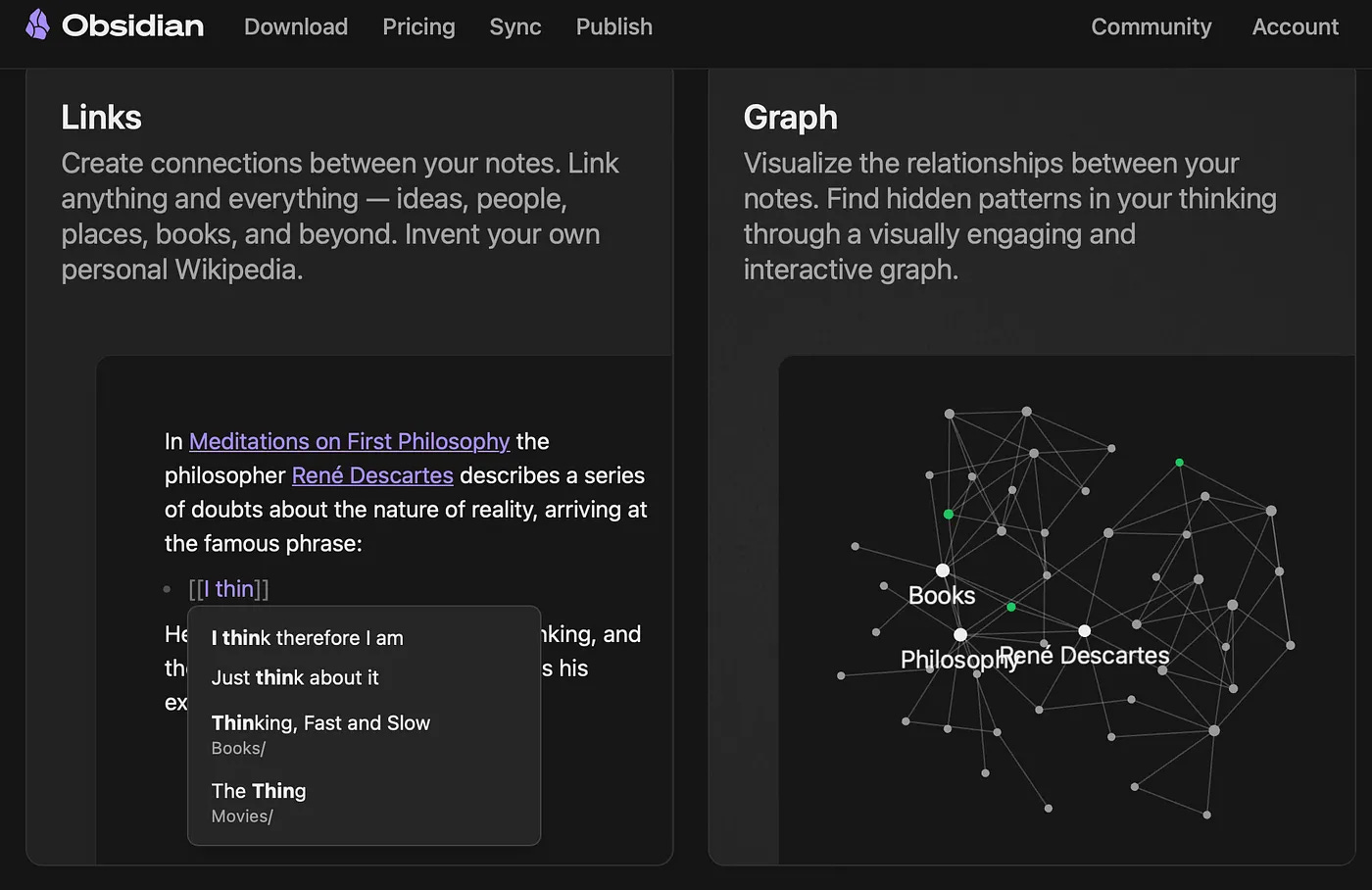
A husband and wife working as Russian intelligence assets in two different countries, never once connected through their cover identities. The unknown locations of Ukrainian children transported to Russia, anticipated before official confirmation. A corporate structure untangled, a money-laundering chain traced. None of this came from a commercial intelligence platform. It came from Obsidian — a free note-taking application that Claudia Tietze, founder of the boutique OSINT shop Farallon, LLC, deliberately broke and rebuilt into a semantic analysis engine. She documents the method in her Medium piece, “Uncommon OSINT: Obsidian, Semantic Meaning and NLP” (April 2024).
The Gap the Method Fills
Most OSINT tooling is built for one job: collection. Scrapers, aggregators, people-search engines. What happens after collection — organizing fragments into relationships, testing whether two data points are actually connected, communicating the result — is left to spreadsheets, corkboards, or memory. Tietze’s argument is that a tool built for something else entirely, a digital garden for linked notes, already contains the primitives an analyst needs: bidirectional links, a graph view, and a plugin ecosystem that can pull in external ontologies. The question her workflow answers is whether note-taking software can be pushed to reveal relationships that were never typed in directly.
System Map: What Lives Where
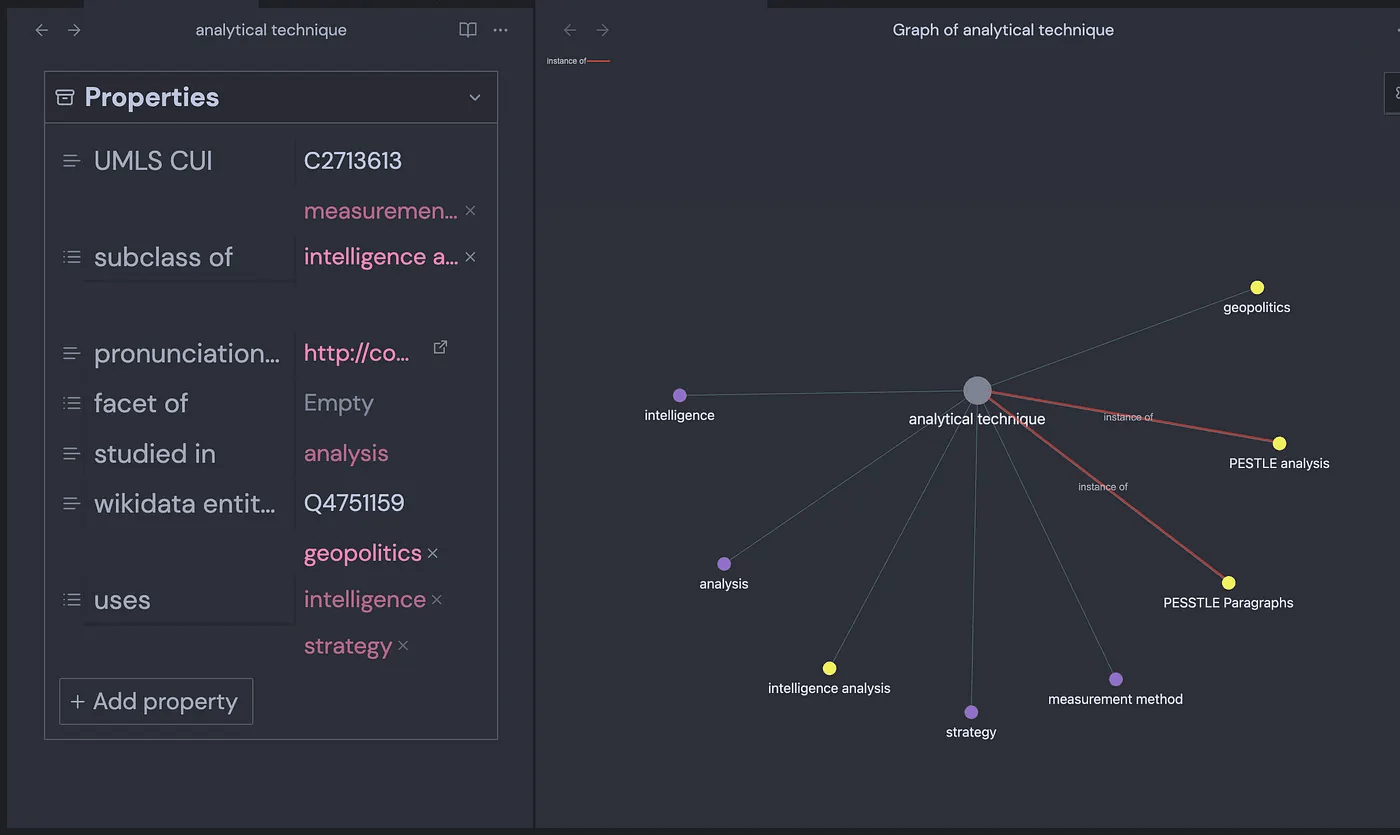
The setup rests on four layers. The vault is the case file — a self-contained folder of notes, one vault per investigation. Each note carries a body of free text plus YAML front matter, a metadata block that functions like a note’s ID card. Wikidata, a free structured database with more than 100 million entries across 300-plus languages, supplies the semantic layer: imported into the YAML, it tags a concept with relationships such as “subclass of,” “used by,” or “field of work.” The graph view then renders every note as a node and every YAML relationship or in-text mention as an edge, native to the app and extendable through community plugins.
Operational Method
Create a dedicated vault per case. Reason: isolates one investigation’s links from another’s, and lets a vault be locked down or shared independently. What to look for: whether restricted mode needs to stay on while sensitive files are added.
Import a term through the Wikidata Importer plugin (by Sam Rose). Action: search the term, review the list of candidate senses — a search for “spy” returns the profession alongside a 2015 film, a Belgian village, and a Team Fortress 2 class — and select the one matching the case. What it proves: only that the correct Wikidata entity was chosen, not that the imported relationships are complete; Wikidata is a generalist source, so intelligence-specific facets sometimes need to be added by hand.
Add a Wikipedia extract to the note body via the Wikipedia plugin (by Jonathan Miller). This pulls the article’s first section into the note, giving later NLP and link-detection steps actual prose to work against instead of bare YAML fields.
Review unlinked mentions before confirming links. Obsidian surfaces two categories: linked mentions (already-confirmed connections) and unlinked mentions (terms that appear in a note’s text or YAML but haven’t been formally linked yet). Each unlinked mention requires a human decision — link it with double brackets, or leave it. This step is where analyst judgment, not the plugin, does the verification work.
Run the Graph Analysis algorithms (SkepticMystic and Emile) once the NLP plugin has indexed the vault. HITS scores which notes function as hubs versus authorities; Jaccard scores how much two specific notes have in common. What each result can prove: HITS flags structurally central concepts, useful for prioritizing which notes deserve deeper review; Jaccard flags candidate overlaps between two named entities. What it cannot prove: causation or intent — a high Jaccard score between two companies indicates shared vocabulary in the vault, not confirmed common ownership. It is a lead to check against source documents, not a finding on its own.
Visualize with Graph Link Types (natefrisch01) and Juggl (Emile van Krieken). These add labeled, color-coded edges and interactive re-centering on a selected node — useful for tracing a specific relationship pathway (e.g., spy → intelligence agency → counterintelligence) rather than reading raw YAML.
Build a working canvas with Link Exploder (Ben Hughes) and Semantic Canvas (Aaron Gillespie). Link Exploder auto-populates a canvas with a note’s incoming and outgoing links as cards; Semantic Canvas renders the underlying triples and shows empty cards for entities referenced in YAML but not yet created as notes — a direct prompt for what still needs collecting.
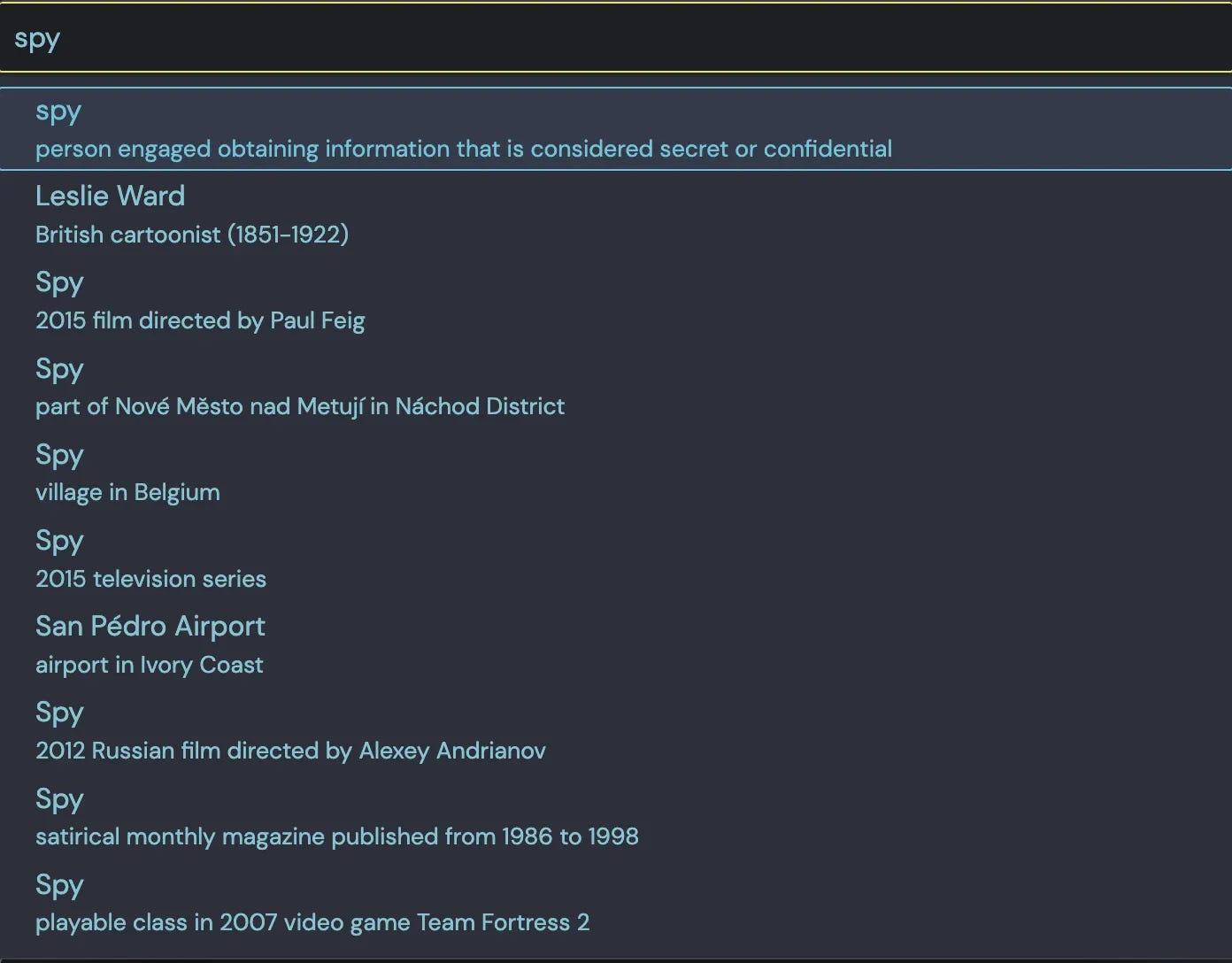
Intelligence Playground Vault Wikidata Importer plugin interface. This allows you to see and select the concept that you want to import. If you don’t see a good option, you can alter your search term or import the definition closest to your subject matter and fine-tune it with your own YAML pruning and cultivation.
Critical Issues
The method depends on custom YAML the analyst designs, which means the schema for one case (say, tracking espionage cells by arrest location, handler, and cover legend) has to be built by hand each time — there’s no default template for intelligence work. Obsidian also rejects certain characters in note titles, so any Wikidata entry containing a colon fails to import silently, and that gap needs a separate workaround. On the security side, several plugins call third-party services, meaning vault data can leave the machine; Tietze’s own advice is to populate Wikidata terms first, then lock the vault before adding sensitive case files. Finally, algorithmic outputs like HITS or Jaccard scores can be skewed simply because some notes have Wikipedia text added and others don’t — an artifact of uneven enrichment, not of the underlying relationships.
Analytical Layer
The structural pattern worth flagging is the deliberate separation between linked and unlinked mentions. Most graph tools show only confirmed edges; Obsidian’s unlinked-mentions pane keeps candidate connections visible without forcing a premature decision, which is closer to how an analyst actually works through ambiguous evidence. A second pattern: pairing a generalist ontology (Wikidata) with a bespoke, case-specific YAML schema lets one vault serve dual purposes — it inherits broad semantic coverage while still answering the narrow question a specific investigation needs answered, such as who shares a handler or a cover business across an espionage network.
Closing
The tools that matter most in an investigation aren’t always the ones built for it. Obsidian was never designed for espionage tracking or corporate structure mapping — the fact that it can be repurposed for both, using nothing more than free plugins and a well-designed YAML schema, is the actual takeaway: an analyst’s leverage often comes from bending general-purpose software into a shape the vendor never intended, not from waiting for a purpose-built product.
Further reading: Claudia Tietze, “Uncommon OSINT: Obsidian, Semantic Meaning and NLP,” Medium, April 12, 2024 — first article in her Uncommon OSINT series. Tools referenced: Obsidian, Wikidata Importer (Sam Rose), Wikipedia plugin (Jonathan Miller), NLP and Graph Analysis (SkepticMystic, Emile van Krieken), Graph Link Types (natefrisch01), Juggl (Emile van Krieken), Link Exploder (Ben Hughes), Semantic Canvas (Aaron Gillespie), Charts View (Caronchen).
Have you repurposed a mainstream tool for OSINT work? ProjectOsint wants to hear about it — reply with your case.
If this is useful, share it.
This is the weekly selection. But it’s not the only one.
If you’d like to read more: → full articles on the website
If you’d like to get the latest updates first: → Telegram
Thanks for taking the time to share your setup, Apostolos. That's a solid list of plugins.
I like that your workflow goes beyond collecting notes and focuses on organizing knowledge. The combination of templates, metadata, task management, and refactoring is what makes an Obsidian vault scalable over time.
I think it would be interesting to compare workflows. Everyone seems to build a different "intelligence operating system" around the same platform, and that's where many of the best ideas emerge.
I also use Obsidian for OSINT! The terminal plugin makes it particularly useful as it makes it possible to bring in Claude Code. It also works really well for content creation.